Adding a recommendation
From the survey’s Recommendations tab, click + Add Recommendation.The fields available depend on the survey type. Recommendations on property surveys include the Risk level matrix and Loss estimates. Recommendations on energy surveys don’t include either of these sections.
Recommendation details
Area details
Risk classification
Select the Risk Classification category from the dropdown, and then the Sub Classification within it. This links the recommendation to the risk element it relates to (for example, Protection → Manual fire fighting measures / hose reels + hydrants). On energy surveys, the classification is used to categorise the recommendation only — it isn’t linked to the survey’s risk classification elements. Some sub classifications have a further Sub Element field for more detail (for example, Active Protection → Fixed Protection → Gas suppression).Recommendation type
Select the type of improvement the recommendation calls for:Risk level
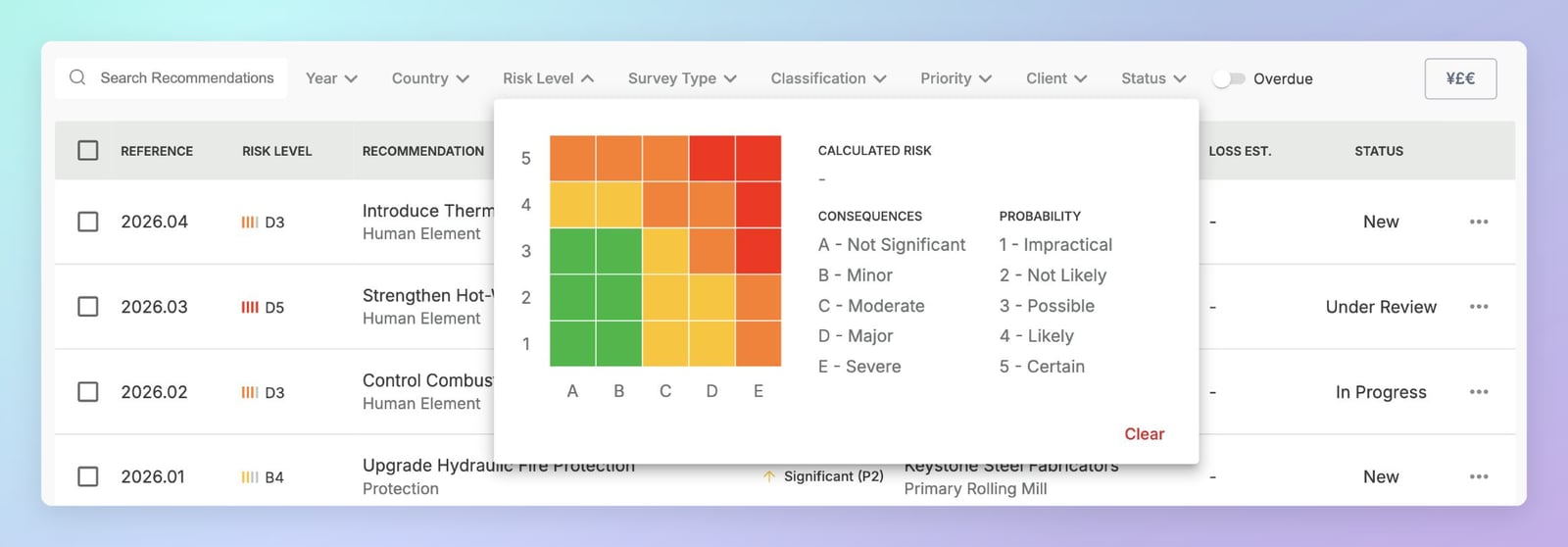
Property surveys only. The Risk Level is determined using a 5×5 risk matrix. Select the cell that best represents the combination of consequence and probability. Consequences (columns A–E):
Probability (rows 1–5):
The matrix is colour-coded green (low), amber (medium), and red (high). Selecting a cell auto-calculates the Calculated Risk score.
Risk priority
Finding description
A rich-text field for describing what was observed during the survey. Supports formatting, images, and embedded content.Recommendation
A rich-text field for the recommended corrective action. This text appears in the issued report.Loss estimates
Property surveys only. An expandable section for estimating the financial impact of the recommendation:
For each value, you can enter a single estimate, a range, or both.
Recommendation contact
Assign a client contact to this recommendation. The contact is responsible for implementation and receives an email notification whenever an engineer posts a response on the recommendation. See Responses.Recommendation statuses
Recommendations are tracked through to completion, with their status updated at each review. A recommendation can have one of the following statuses:- New
- In Progress
- Under Review
- No Progress
- Pending Verification
- Completed
- Declined
- Superseded
- Withdrawn
The recommendations list
Recommendations are listed in a filterable table — on the main Recs page, and on the Recommendations tab of client, site, and survey records.Filtering recommendations
Every recommendations table in TruRisk — the main Recs page and the Recommendations tab on client, site, and survey records — has the same set of filters. Filters that don’t apply in context are hidden (for example, the Client filter isn’t shown on a client record).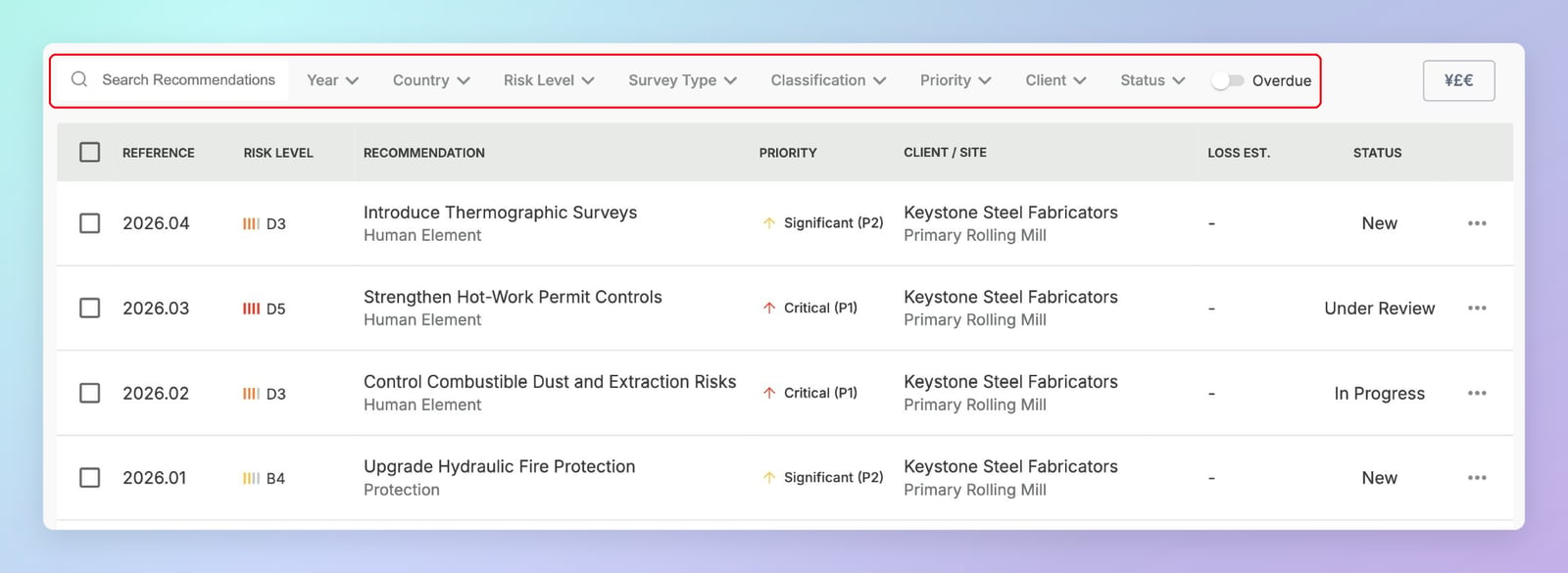
Filtering by risk level
The Risk Level filter opens the risk matrix. Each cell combines a consequence rating (columns) with a probability rating (rows). Click a single cell to filter by that risk level — the selected level is shown as the Calculated Risk. Click Clear to remove the filter.